Showing posts with label blogger news. Show all posts

Thursday, December 21, 2006

Blogger Feature or Bug: Edit link disappears and Blog unable to recognize its admin

For quite a while now I have been facing problems with my Blogger blogs and layout editor. Every time I edit a widget and save the changes the edit link for that widget disappears from the layout. To understand what I am referring to have a look at the two images below.


Once I update the "Subscribe | Syndicate | Bookmark" widget the edit link disappears. I actually have to click on the page elements link to reload the layout editor which is very irritating. I have not heard anyone else complain about this so I wonder if only I am facing this problem or if this is some cool new Blogger feature that I don't understand :)

Not just this, for some strange reason, my blogs don't identify me as the administrator even if I am logged into blogger. There is a possibility that the widget quickedit links are not shown as I might have messed up some code in the template. But that's not the case as I don't get to see those links even in any new blogs (where the HTML has not been touched) created by me. Anyone else facing this problem? Anyone has any suggestions?

Wednesday, December 20, 2006

Blogger News: Welcome the "New Blogger"

Hello Readers,

Just a quick update here. Blogger has announced that they are now out of beta. This is shown by the change of URLs. The sign-in link on beta blog navbars no longer points to the beta.blogger.com link. It now points to www2.blogger.com.

Classic Blogger users can learn more about Blogger Beta the New Blogger here.

Saturday, November 25, 2006

What's with the backlinks?

On recently published posts across all blogs I am seeing similar backlinks pointing to some page2rss thingy. The mess of links in there, led me here.


What's up with Blogger? What new feature or bug is this? :D

Technorati Tags: , ,

Friday, November 24, 2006

JSON, customizable widgets and other applications

Hello Readers,

There is some really good stuff happening in the Blogger hacking world. This comes after the recent announcement on Blogger buzz regarding Blogger (or I can say all of Google) moving to JSON (JavaScript Object Notification) data format for feeds.

The hacks I am referring to are:

1. Hoctro's Recent Comments/Posts widget.
2. Ramani's Customizable Recent Comments Widget.
3. Hans's Customizable Recent Comments Widget with date and post title (offered in one-click widget install feature).

And this is not it, Stephen from Singpolyma-tech has announced an upgrade for his popular hack - Peek-a-boo comments on main page. All this is really good stuff!

Technorati Tags: ,

Friday, November 17, 2006

New hacked template for Blogger beta and return of "flag-blog"

Dears readers,

The topics covered in this post are:

1. A hacked sand-dollar template (with widebar) for blogger beta by imessengr.com
2. "Flag blog" option now available for Blogger beta blogs.

1. Hacked Sand Dollar Template

Deniz from imessengr.com (the one who presented the recent referrers hack for blogger beta) has released a hacked sand dollar template for blogger beta. This template contains a variety of hacks and is based on the widebar design I had discussed earlier in my posts. You can preview this template from here and view this post to learn more and download the template.

2. "Flag Blog" option now available for Blogger beta blogs.


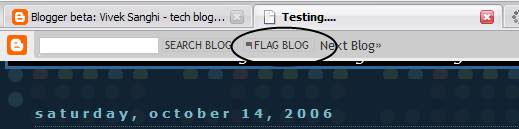
I just noticed that the "flag blog" or "flag this" button on the navbar which was available only for the classic Blogger blogs in now available for Blogger Beta blogs as well. With this, blogger has brought yet another feature of Blogger v2.0 into beta i.e. v3.0.

Friday, October 13, 2006

Google Docs & Spreadsheets (updated)

You might have come to know by now that Google has released a service called Google Docs & Spreadsheets . In this service, one can use an online text editor (similar to Microsoft Word and others) to create posts and publish it to their blog.

With this service, you can:

- Have your documents published online (as a webpage) to share it with others (dedicated URL to each document, as in Google pages)
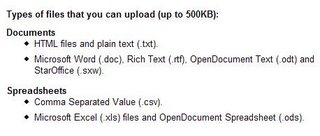
- Export your online documents in word, openoffice, HTML and PDF file formats to store it on your hard drive.

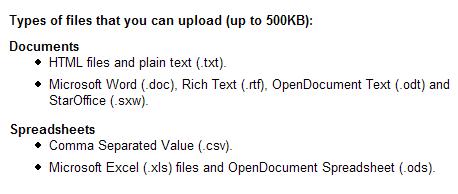
- Import various document (.htm, .doc, .txt, .rtf, .odt, .sxw) and spreadsheet (.csv, .xls, .ods) file formats into this service and publish them online instantly or save it to your hard drive in a different format. So if you want to convert a Microsoft Word file into Adobe PDF format, you can do it easily using this service.

- Collaborate and work with others on projects and set access permissions to files.

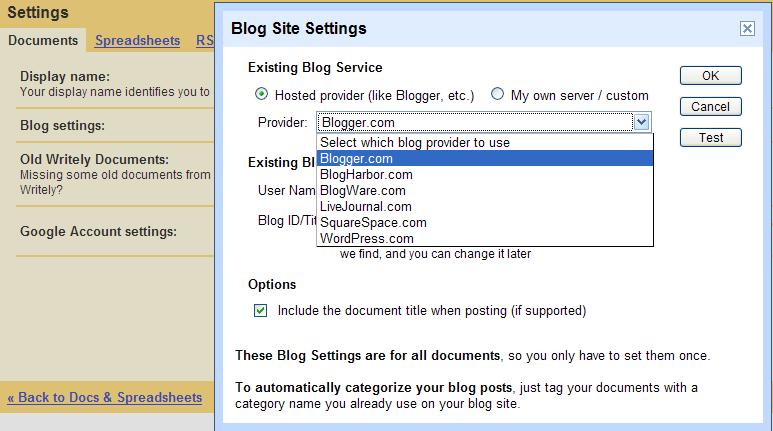
- Post to other blogging tools (other than Blogger) like wordpress, LiveJournal etc and also use with custom hosted sites.
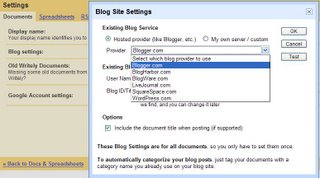

To learn more about this service, you may visit this page.

Problems

1. Unable to Login to Blogger
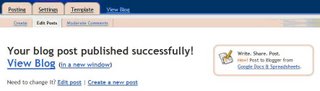

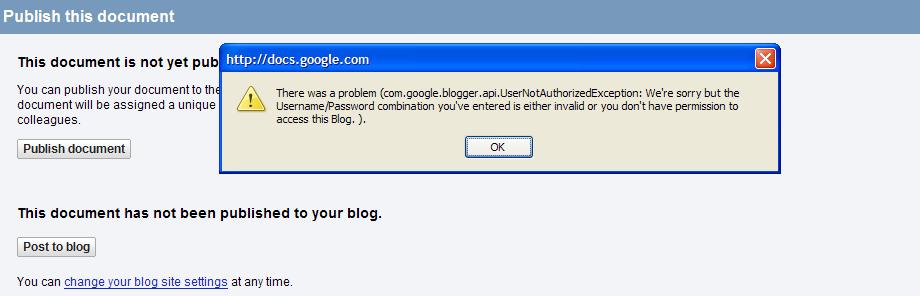
While editing my posts yesterday, I noticed that Blogger had even added a small side-box on the edit post pages to inform users of this service. That’s how I came to know about this service. However, when I used this service, it could not authenticate my blogger beta account (even after my providing the correct login credentials). I knew this was a bug and it was confirmed when in the evening, I noticed that the side-box no longer appeared on the edit post pages.
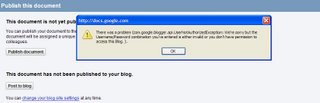

Once this service is ready for blogger beta, I need to check how this thing works with the tables. If you are used to copy-pasting text from Microsoft Word you might remember that tables cannot be pasted into the post editor in blogger.

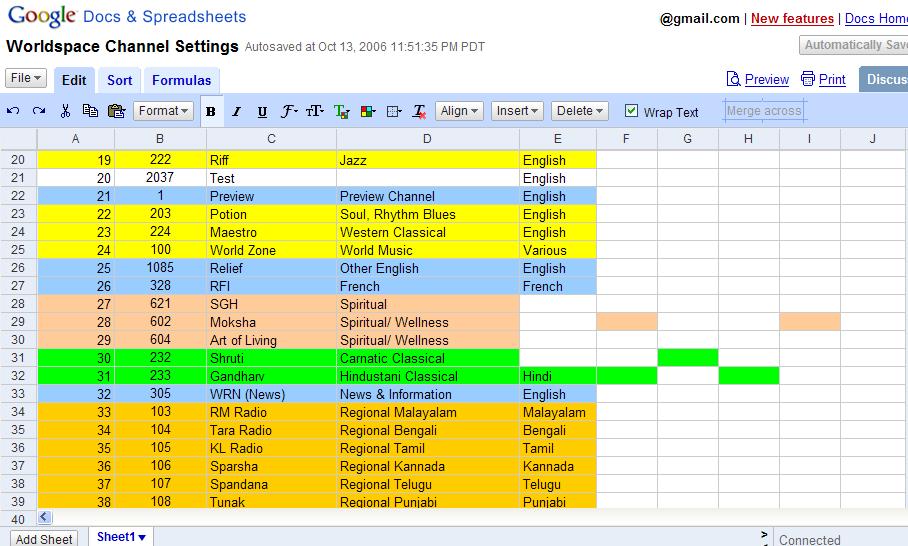
2. Formating issues with spreadsheets [Updated (14th Oct, 12:36)]
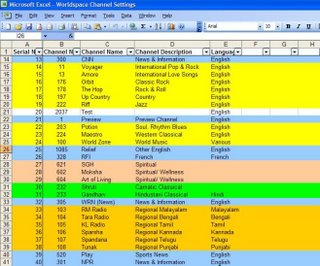

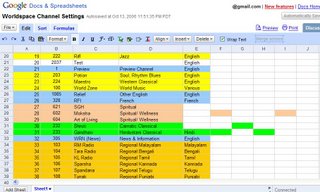
There are formatting issues with imported Excel files (as seen in the images above).

3. Issues with Spellcheck

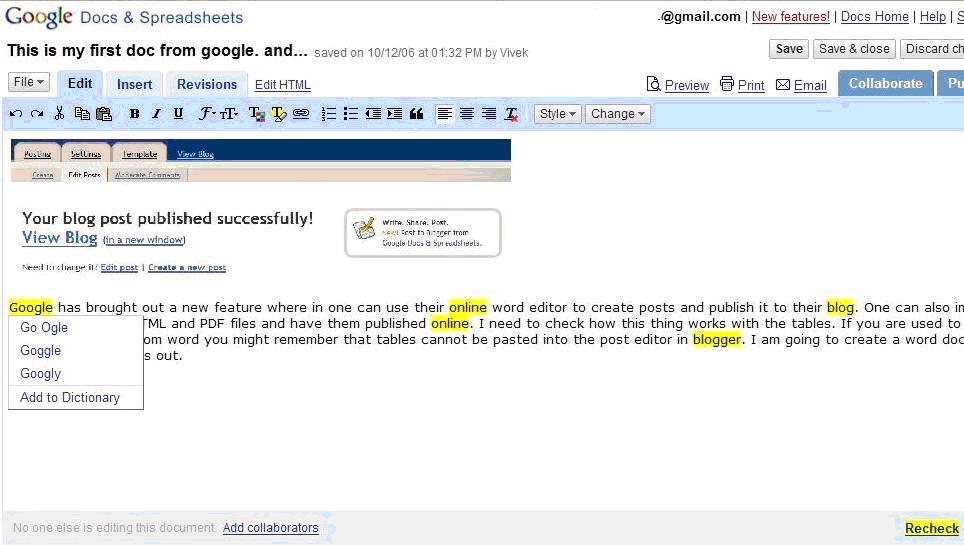
I noticed that the spell check is not up to the mark:
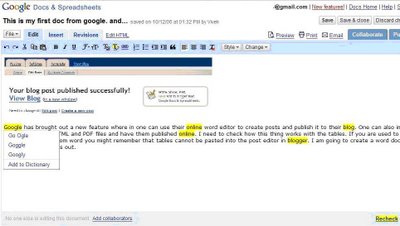
Google needs to fix this problem at the earliest, because if any bloggers were to use this service, the bare-minimum they will look for is proper functioning of basic features like spell-check.

Support

Other than the usual support by Google, there is a Google help group for Google Docs & Spreadsheets, where you can post you questions, concerns and suggestions regarding this service and share your experiences with other users.

Conclusion

Google Docs & Spreadsheets is a powerful software/service but lots of errors and problems need to be ironed out before its ready for use (thats why its in beta stage). In a recent news article, I had read that Google's CEO Eric Schmidt wants his developers to focus on improving current software/services. I couldn't agree with him more. In the recent years, Google has brought out a range of powerful softwares and services from its labs but its the continuing improvement, feature additions and support for these services that will win the day for it.


Update (Nov 12, 2006 IST): It appears that the connectivity problems between Google Docs & Spreadsheets and Blogger Beta is now fixed. So go ahead try using this service now.

Saturday, October 07, 2006

Comment Feed for individual posts (updated)

I am not sure if this is a new feature or an old one that I missed. I was moderating comments on one of my recent posts when I came across this feed link under the post. It is a feed to the comments that appear only on that individual post (not the entire blog).

To view this feed link just click on your post’s title (for example you can click on “Comment Feed for individual posts” in this post), and scroll down to see the following text:

“Subscribe to: Post Comments (Atom)”

This appears on posts that have comments as well as the ones that have no comments.

The hack

For people who have removed (or wish to remove coz they use feedburner etc) the “Subscribe to: Posts (Atom)” link (that appears at the bottom of the posts section on the blog’s main page), this comment feed link will not appear on the post page. Here is a work around to have the comment feed link displayed while keeping your main page settings intact.

It requires a very small modification to your blog's template. So, if you do not wish to display the “Subscribe to: Posts(Atom)” link at the bottom of the main page but still want to display the comment feed link to an individual post on that post's page, add the lines in bold to the code in your blog:

<b:if cond='data:blog.pageType == "item"'>
<div class='feed-links'>
Subscribe to:
<b:loop values='data:links' var='f'>
<a class='feed-link' expr:href='data:f.url' expr:type='data:f.mimeType' target='_blank'><data:f.name/> (<data:f.feedType/>)</a>
</b:loop>
</div>
</b:if>

It is a simple “if” condition and to work with it you need to search for “ class='feed-links' ” and add the code in bold as shown here.

How do they make it work for an individual posts?

I don’t really know that, but let’s look at the URLs of the feeds:

Comments feed my previous post:

http://stubborn-fanatic.blogspot.com/feeds/2189603568115404259/
comments/full

Comments feed for this post:

http://stubborn-fanatic.blogspot.com/feeds/2453519588050438240/
comments/full

I am not sure what these numbers i.e. “2189603568115404259” and “2453519588050438240” are. I guess they refer to the total number of posts in all the blogs on blogger at the particular moment when you create a post (your post's simplest possible unique-ID across the entire blogger i.e. your post number). I am also not sure of this feed's exact purpose. Few people, who tend to have an elaborate discussion on a particular post, might prefer to use such a feed, otherwise I see no use. Whatever it is, it sounds like a good feature. Its presence might be useful to certain readers and its absence does no harm.

Update: I have replaced <b:if cond='data:blog.homepageUrl != data:blog.url'> in the above hack with <b:if cond='data:blog.pageType == "item"'> because the blog's default feed link was not displaying on the main page but still displaying on the label and archive pages.

Other posts @ Stubborn Fanatic

Click here to view all my posts.

Creative Commons License
This work is licensed under a
Creative Commons Attribution-ShareAlike 2.5 License.

However, prior permission is required before you can display any content from this blog on your site. The author reserves the right to demand removal of such content at any time for any reason. (Not applicable for back-linking)
Note: The author is not responsible for any loss of data or damages to your homepage as a result of using the hacks suggested here. Please observe all necessary precautions while modifying template code.

© 2006 Vivek Sanghi a.k.a Stubborn-Fanatic